
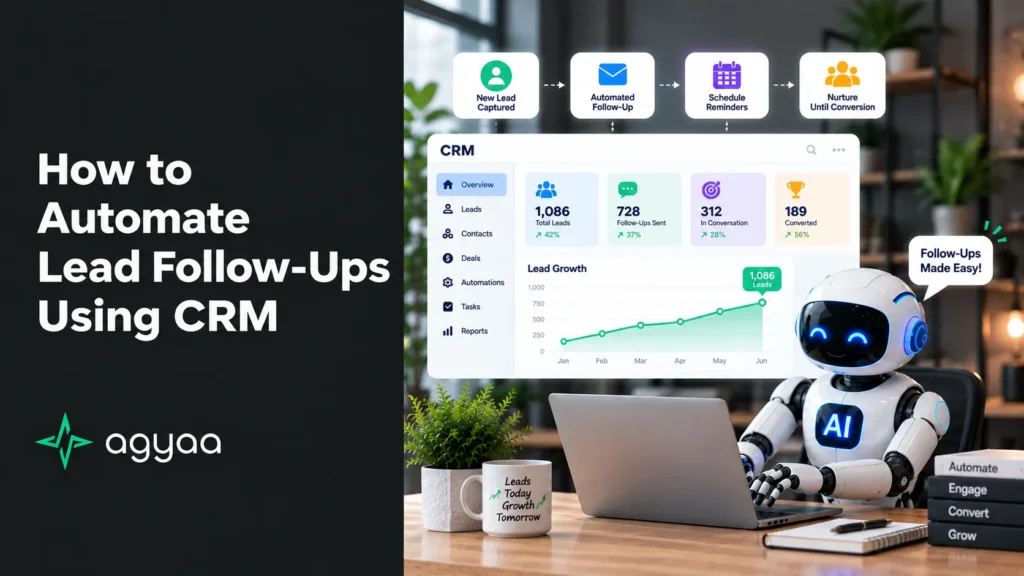
In modern sales operations, speed is the ultimate competitive advantage. Research consistently shows that contacting a prospect within 5 minutes of inquiry makes a business 21 times more likely to qualify them compared to waiting just 30 minutes.
When lead follow-ups rely on memory, spreadsheets, or manual outreach, high-intent prospects inevitably fall through the cracks. Automated CRM follow-ups eliminate human delay, ensuring every lead receives immediate, multi-channel, and persistent attention from the second they reach out.
Here is a comprehensive framework for designing, structuring, and launching an automated lead follow-up system inside your CRM.
1. The Multi-Channel Follow-Up Architecture
A high-converting follow-up campaign uses a balanced mix of instant messaging (SMS), email value delivery, and internal sales team tasks to engage prospects across their preferred channels.
                           [ INBOUND LEAD CAPTURE ]
                     (Website Form, Paid Ad, Live Chat)
                                     │
                                     ▼
                      [ CENTRALIZED CRM AUTOMATION ]
                                     │
         ┌───────────────────────────┼───────────────────────────┐
         ▼                           ▼                           ▼
┌──────────────────┐        ┌──────────────────┐        ┌──────────────────┐
│  60-Second SMS   │        │ Welcome Email    │        │ Sales Team Task  │
│  Instant Check   │        │ Case Study &     │        │ Priority Phone   │
│  & Booking Link  │        │ Direct Booking   │        │ Call Notification│
└──────────────────┘        └──────────────────┘        └──────────────────┘
The Three Essential Touchpoint Channels
- Instant SMS (High Open Rate): Boasting an open rate near 98%, automated SMS messages deliver immediate, conversational check-ins that encourage quick replies or 1-click scheduling.
- Value-Driven Emails (In-Depth Context): Emails deliver deeper information, including customer case studies, service breakdowns, transparent pricing guides, and client testimonials.
- Internal Sales Tasks (Phone Calls): CRM automation creates automated tasks and push alerts so reps call high-priority leads while intent is highest.
2. Setting Up Behavioral “Stop Rules” & Conditional Logic
The most common mistake in sales automation is sending an automated “Checking in on my last email” message after the client has already replied or booked a call.
To maintain a human experience, your CRM must use behavioral triggers and goal conditions:
                       [ AUTOMATED WORKFLOW ACTIVE ]
                                     │
                                     ▼
                       < Has Prospect Responded? >
                      /                           \
                    YES                            NO
                    /                                \
        ┌───────────────────────┐        ┌───────────────────────┐
        │ Exit Follow-Up Loop   │        │ Send Next Touchpoint  │
        │ Update Pipeline Stage │        │ (Email / SMS / Task)  │
        └───────────────────────┘        └───────────────────────┘
When a lead takes any of the following actions, the CRM automatically pauses the automated sequence:
- Replies to an SMS or Email: Transitions the conversation to a rep for human interaction.
- Schedules an Appointment: Moves the lead to the “Appointment Scheduled” pipeline stage and triggers pre-meeting reminders instead.
- Opt-Out / Disqualification: Updates contact preferences to prevent unwanted outreach.
3. The 14-Day Blueprint for Lead Follow-Up Sequences
When leads don’t convert immediately, consistent follow-up turns initial interest into closed sales. Here is a proven 14-day cadence for inbound web leads:
| Timing | Channel | Content Objective |
| Minute 1 | Automated SMS | Instant greeting acknowledgment + direct calendar booking link. |
| Minute 2 | Automated Email | Formal introduction, service overview, and social proof links. |
| Hour 1 | Rep Task (Call) | Internal alert for a team member to attempt an initial call. |
| Day 2 | Value delivery: Share a client case study or video walk-through. | |
| Day 4 | SMS | Casual check-in: “Hi [Name], did you still need help with [Service]?” |
| Day 7 | FAQ address: Cover the top 3 questions clients ask before buying. | |
| Day 14 | Email / SMS | Breakup message: Politely check if the project is still active. |
4. Manual vs. Automated Lead Follow-Up Performance
| Performance Metric | Manual Outreach | Automated CRM System |
| Response Time | 2 to 24 hours | Under 60 seconds |
| Touchpoint Volume | 1 to 2 attempts average | 5 to 7 structured touches |
| After-Hours Leads | Delayed until next workday | Instantly engaged 24/7/365 |
| Data Tracking | Relies on manual rep notes | 100% automated activity logging |
| Lead Loss Rate | High (Leads call competitors) | Minimal (First-responder advantage) |
How to Deploy Automated Follow-Ups in 5 Steps
1.Connect All Lead Ingestion Channels:Unify incoming inquiries in a single database.
Link your website forms, landing pages, social media lead ads, and chat widgets directly to your CRM via webhooks or native integrations.
2.Configure the 60-Second Speed-to-Lead Trigger:Engage leads while intent is at its highest.
Set an automated rule: When New Lead Arrives → Send Personalized SMS and Email within 1 Minute. Use dynamic merge tags like {{first_name}} and {{service_type}}.
3.Build a Multi-Touch Email & SMS Sequence:Maintain engagement across the full decision window.
Build a 14-day workflow combining automated SMS, educational emails, and internal sales rep call tasks.
4.Establish Goal Conditions & Exit Triggers:Prevent awkward messages after a response.
Set the CRM workflow to halt automatically whenever a lead replies, calls back, or books an appointment on your calendar.
5.Track Performance & Refine Copy:Optimize conversion rates using hard data.
Review response times, SMS reply rates, and email click-through rates weekly to refine your messaging and maximize booked calls.
The Bottom Line
Automating lead follow-ups bridges the gap between marketing investment and actual sales revenue. By leveraging CRM automation to respond instantly, nurture prospects consistently, and route conversations intelligently, your business locks in the “first responder” advantage on every single opportunity.